
Tour
Idea. Sketch. Speak.
Create.
Why SweepCAD
CAD as it should feel.
After fifteen years in professional CAD, I'm not trying to copy any software — and I'm not handing your design over to an autopilot. I'm building CAD the way I'd like it to be: new features that make people faster and more capable, with you in the driving seat. That is flow — and SweepCAD is built for flow.
Flow
Say it, sketch it or key it. It shows before you finish — and every answer comes back in milliseconds.
Local inference
Speech recognition (open Parakeet models) and the command parser run on your own computer, or on SweepCAD's own server — never in someone else's cloud. AI design is being tested with both commercial and locally deployable models, so fully local AI isn't guaranteed yet.
You decide
No autopilot. When something is unclear it asks, with choices to click — and every value shows where it came from.
New to CAD? Just talk to it
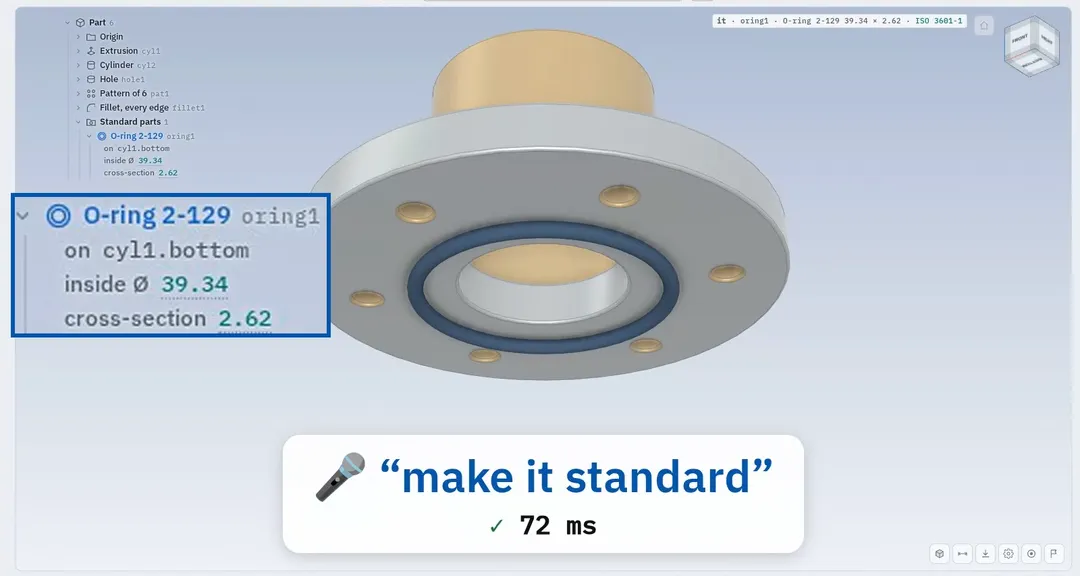
“Put an O-ring here.”
Then say “make it standard” and it snaps to the nearest ISO size — groove and all. Speak or type, in English or Danish; a live ghost shows the result while you're still talking.
For professionals, everything you'd expect: constrained sketches, parametric history, sub-assemblies, mates and motion — and mapkeys for the left hand: S sketch, E extrude, R revolve,W sweep, L loft.
Standards built in
Every value knows where it came from.
38 tables — threads, bolts, O-rings and their grooves, bearings, flanges, pipes, ISO 286 fits, materials — 4,994 rows you can replace with your own. Ask for a DN100 flange and the bolt set comes with it.
- Teal — from a standard table
- Amber — guessed, check it
- Purple — derived from other values
- ⚠Changed — something it depends on moved
DN100 PN16 flange · EN 1092-1
| Outside Ø | 220 |
|---|---|
| Bolt circle | Ø180 |
| Bolt holes | 8 × Ø18 |
| Bolts | 8 × M16 × 50 · 8.8 |
| Nuts, washers | ISO 4032 M16 · ISO 7089-16 |
Make it 3D · Make it real
From paper, to part, to real.
Sketch it on the paper. Say “make it 3D”. Say “make it real”. Three steps, one shaft.
- 1 · Paper
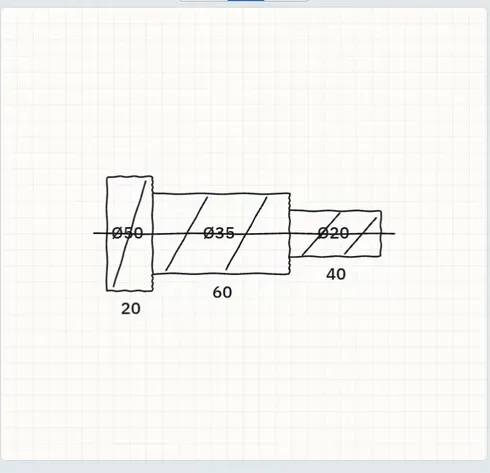
Draw it like on a napkin — or hold a drawing up to the camera.
- 2 · Part
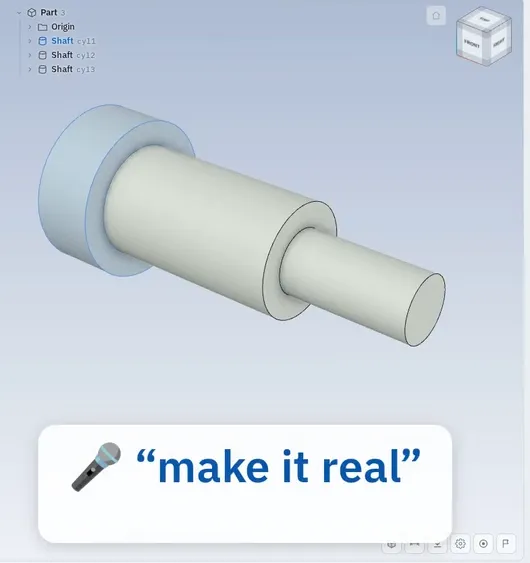 drag to turn
A real, editable part with its history — Ø50, Ø35, Ø20, exactly as drawn. Fully parametric.
- 3 · Real
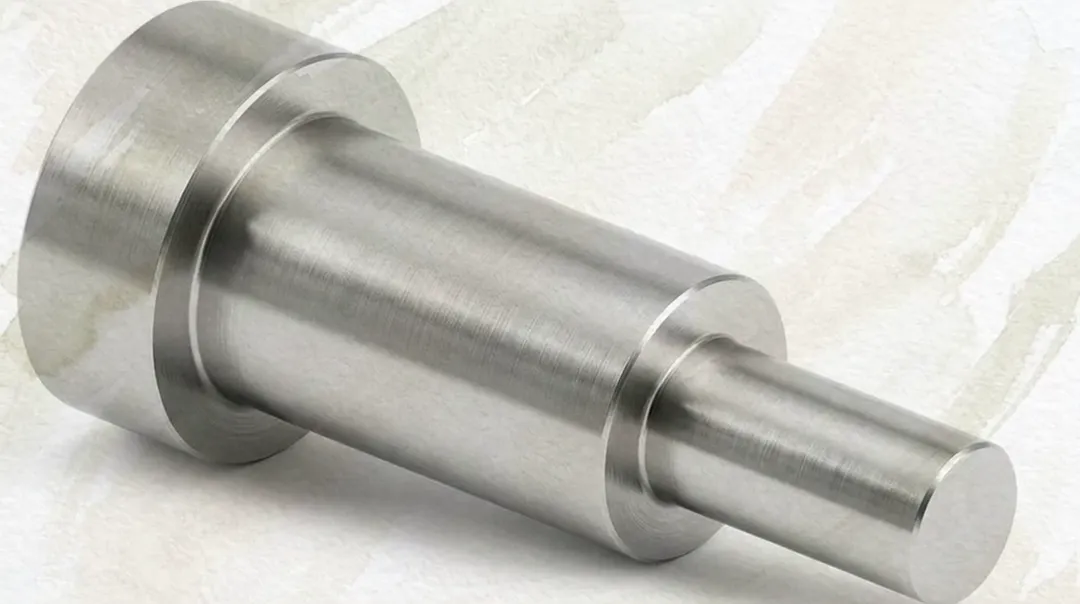
A photoreal render in its material — for the customer, the shop floor or the pitch.
Flow
The engineer stays in the driving seat.
No autopilot — just less in your way. The flow tracker maps every mouse move and key press. The same flanged bushing, built three ways from the same start:
1 · Mouse only
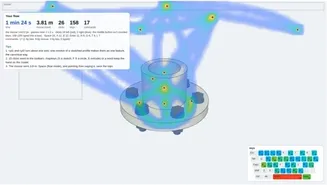
1 min 24 s
- mouse travel
- 3.81 m
- clicks
- 26
- keys
- 158
0 said · 5 typed · 12 by mouse or key
2 · Mapkeys and mouse
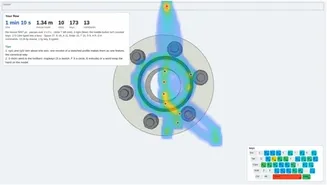
1 min 10 s
- mouse travel
- 1.34 m
- clicks
- 10
- keys
- 173
0 said · 6 typed · 7 by mouse or key
3 · Flow
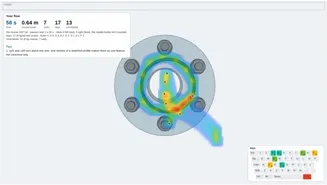
58 s
- mouse travel
- 0.64 m
- clicks
- 7
- keys
- 17
7 said · 0 typed · 6 by mouse or key
Flow, against the mouse alone
Works with your CAD
Not instead of your CAD. Alongside it.
Exact STEP through OpenCASCADE, binary STL — and parametric kits that rebuild the part natively, sketch constraints and assemblies included. Import STEP back in and update from file. Built on open-source kernels: Manifold live in your browser, OpenCASCADE for the exact files.
Product names are trademarks of their respective owners.
Live Feature Requests
Paint it. Say it. Ship it.
You are building the tool. Paint on the screen, say what you would like, and AI coding agents turn it into a tested feature.
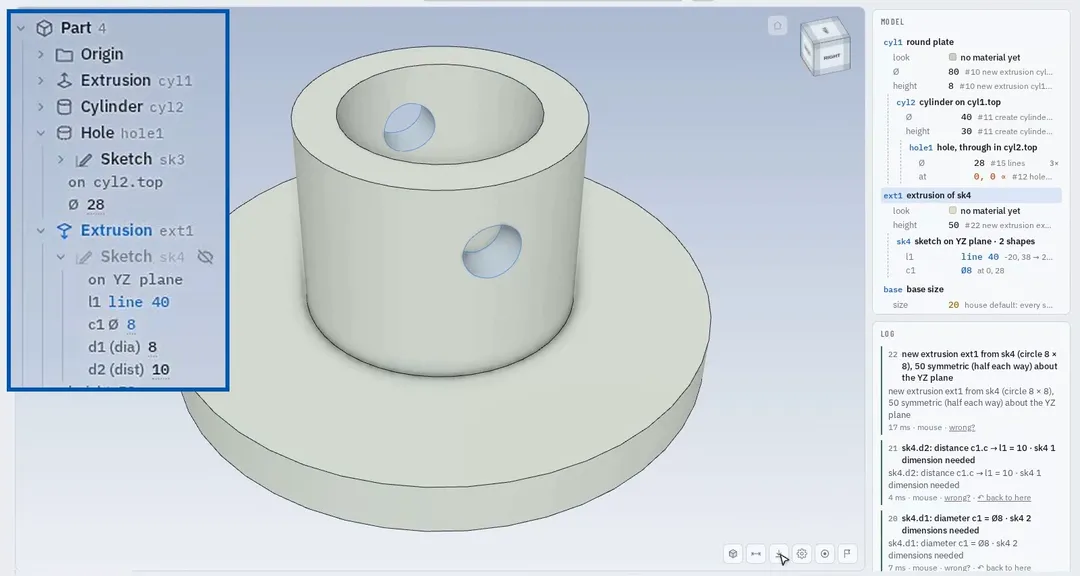
- 1
Paint on the screen
The Report button opens a picture of your whole window, pen ready. Circle it, draw it.
- 2
Say what you need
Type it or speak it. It's saved with a number, the picture and what you were doing.
- 3
AI builds it, people decide
AI coding agents implement it against 17 test suites, it’s reviewed by a second agent, and the request is marked implemented — so nothing gets lost.
- 4
It ships
“Something wrong with chamfer” on 10 Oct — fixed in the next release. 155 releases since 27 Sep.
Sweep is all you need.
Sign up to get SweepCAD the day it's released.